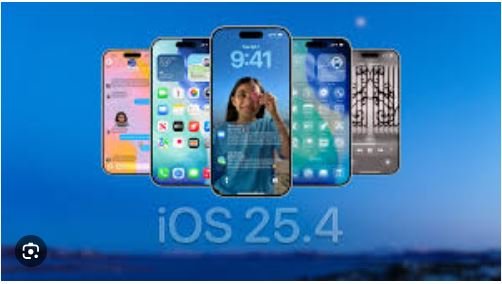
Apple has officially rolled out iOS 26.5 Beta 1 for iPhone users, bringing a mix of subtle improvements and important behind-the-scenes changes. While this update doesn’t introduce major visual upgrades, it focuses on privacy, Maps enhancements, and ecosystem expansion.
Here’s a complete breakdown of what’s new, what’s missing, and how you can install it.
iOS 26.5 Beta: Quick Highlights
- Apple Maps gets Suggested Places + Ad integration groundwork
- RCS messaging now supports end-to-end encryption
- Better support for third-party wearables
- Minor system and keyboard improvements
- Siri AI upgrade still missing
What’s New in iOS 26.5 Beta?
1. Apple Maps Gets Smarter
Apple is enhancing the Maps experience with a new “Suggested Places” feature.
- Recommends popular places nearby
- Personalized suggestions based on search history
- Designed to improve local discovery
👉 Apple Maps is slowly becoming a competitor to Google Maps in discovery features.
2. Ads Coming to Apple Maps
Apple is preparing to introduce ads within Maps.
- Sponsored listings in search results
- Ads may appear in Suggested Places
- Clearly labeled as “Ad”
👉 This move could open a new revenue stream for Apple while helping businesses reach users.
3. RCS Messaging Gets End-to-End Encryption
One of the biggest improvements in this update is better messaging security.
- RCS chats between iPhone and Android are now encrypted
- Prevents third-party interception
- Improves cross-platform privacy
👉 This brings SMS-like messaging closer to apps like WhatsApp in terms of security.
4. Better Third-Party Wearables Support
Apple is expanding support beyond its own ecosystem.
- Third-party smartwatches can receive iPhone notifications
- Live Activities syncing support
- More flexibility for non-Apple devices
5. Keyboard & Performance Improvements
- New language keyboard support
- Improved typing accuracy
- Minor bug fixes and smoother performance
6. Apple Books & Subscription Updates
- New achievement indicators in Apple Books
- Improved subscription billing options in App Store
What’s Missing?
No Siri AI Upgrade Yet
Many users expected major upgrades to Siri, but:
- No new AI-powered Siri features
- Apple Intelligence enhancements delayed
- Likely pushed to a future update (possibly iOS 27)
👉 This is the biggest disappointment in iOS 26.5 Beta.
How to Install iOS 26.5 Beta
Steps to Install Developer Beta:
- Enroll in the Apple Developer Program
- Open Settings on your iPhone
- Go to: General > Software Update
- Tap on Beta Updates and select iOS 26.5 Developer Beta
- Download and install
👉 A public beta version is expected soon.
Things to Keep in Mind
- Beta versions may contain bugs
- Not recommended for your primary device
- Always back up your data before installing
iOS 26.5 Beta: Pros & Cons
| Pros | Cons |
|---|---|
| Improved privacy (RCS encryption) | No Siri AI upgrade |
| Smarter Apple Maps | Ads may annoy users |
| Better wearable support | Minor update overall |
| Performance improvements | Possible bugs |
Finale erdict
iOS 26.5 Beta is a small but meaningful update. It focuses more on refinement rather than revolution.
- Privacy and messaging security are improved
- Apple Maps is becoming more intelligent
- Ecosystem flexibility is increasing
👉 If you’re a tech enthusiast, you can try the beta. Otherwise, it’s better to wait for the stable public release.