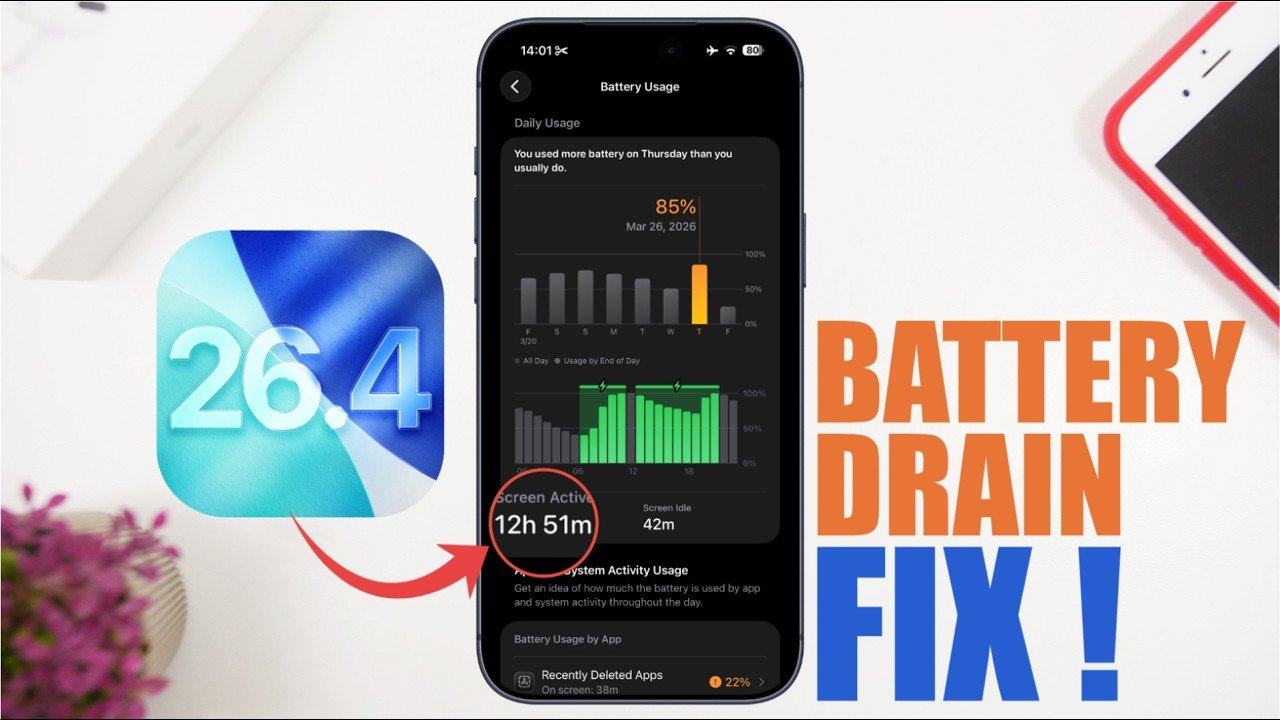
iOS 26.4 update ke baad kai iPhone users ek common problem face kar rahe hain — fast battery drain. Agar aapka iPhone pehle se zyada jaldi discharge ho raha hai, to tension lene ki zarurat nahi hai. Ye issue mostly settings, background activities, aur optimization ki wajah se hota hai — aur easily fix bhi ho sakta hai.
Is article me hum aapko step-by-step proven methods batayenge jisse aap apne iPhone ki battery life ko significantly improve kar sakte hain.
Why Battery Drains After iOS 26.4 Update?
iOS update ke baad battery drain hona ek common behavior hai. Iske peeche kuch major reasons hote hain:
- Background indexing (Photos, Spotlight, Apps)
- New features auto-enabled hona
- Apps ka update ke saath optimize na hona
- Location & refresh settings active rehna
- Bugs ya temporary glitches
👉 Good news: Ye sab fix kiya ja sakta hai.
1. Restart Your iPhone (Simple But Powerful)
Update ke baad ek simple restart bahut issues solve kar deta hai.
Steps:
- Power button + volume button press karein
- Slide to power off
- 1 minute baad phone on karein
👉 Isse background processes reset ho jaate hain.
2. Check Battery Usage (Find the Culprit)
Battery drain ka sabse bada reason hota hai koi specific app.
Kaise check karein:
- Settings → Battery
- Last 24 hours ya 10 days usage dekhein
👉 Agar koi app zyada battery le raha hai:
- Usko update karein
- Ya uninstall/reinstall karein
3. Turn Off Background App Refresh
Background me apps constantly data refresh karte rehte hain.
Steps:
- Settings → General → Background App Refresh
- Off karein ya sirf important apps ke liye ON rakhein
👉 Isse battery life instantly improve hoti hai.
4. Location Services Optimize Karein
Location tracking battery ka sabse bada killer hota hai.
Steps:
- Settings → Privacy & Security → Location Services
- Apps ko “While Using” ya “Never” set karein
👉 “Always” option sirf important apps ke liye use karein.
5. Enable Low Power Mode
Low Power Mode battery saving ka fastest solution hai.
Steps:
- Settings → Battery → Low Power Mode ON
👉 Ye background activity, animations aur refresh ko reduce karta hai.
6. Disable Unnecessary Features
iOS 26.4 me kai features default ON ho jate hain:
Disable karein:
- Bluetooth (jab use na ho)
- AirDrop
- Haptic feedback
- Raise to Wake
👉 Ye small changes milkar battery life kaafi badha dete hain.
7. Reduce Notifications
Har notification screen wake karta hai aur battery consume karta hai.
Steps:
- Settings → Notifications
- Unnecessary apps ke notifications OFF karein
8. Use Dark Mode & Lower Brightness
Display iPhone ki battery ka sabse bada consumer hai.
Steps:
- Dark Mode ON karein
- Auto-brightness enable karein
- Brightness manually kam rakhein
👉 OLED iPhones me Dark Mode se extra battery saving hoti hai.
9. Update Apps & System
Kabhi-kabhi battery drain ka reason outdated apps hote hain.
Kya karein:
- App Store → Update All Apps
- Settings → General → Software Update
👉 Apple usually minor updates me battery bugs fix karta hai.
10. Reset All Settings (Advanced Fix)
Agar sab try karne ke baad bhi battery issue solve nahi hota:
Steps:
- Settings → General → Transfer or Reset iPhone
- Reset → Reset All Settings
👉 Data delete nahi hota, sirf settings reset hoti hain.
Important Tips (Must Follow)
- Update ke baad 2–3 din tak battery drain normal hai
- Original charger use karein
- Overheating avoid karein
- Battery health check karein (Settings → Battery → Battery Health)
Quick Fix Summary Table
| Problem | Solution |
|---|---|
| Fast drain after update | Restart + wait 48 hours |
| App causing drain | Battery usage check |
| Background usage | Disable App Refresh |
| Location drain | Limit to “While Using” |
| Heavy usage | Enable Low Power Mode |
Final Words
iOS 26.4 ek powerful update hai, lekin battery drain jaise issues common hain. Achhi baat ye hai ki 90% cases me simple settings changes se problem solve ho jaati hai.
Agar aap upar diye gaye steps follow karte hain, to aap apne iPhone ki battery life ko easily 1.5x tak improve kar sakte hain.